Question: What should I check before buying a skincare product in store?
Sephora shelf check · In-store shopping
How to check skincare ingredients before buying at Sephora
Check the full ingredient list, your skin concern, the product role, fragrance or active load, and whether the formula makes sense beside what you already use. The shelf label cannot know your routine.
Rico AI editorial: Reviewed against the sources below. Updated 2026-07-09.

Question people ask
What should I check before buying a skincare product in store?
Direct answer
Check the full ingredient list, your skin concern, the product role, fragrance or active load, and whether the formula makes sense beside what you already use. The shelf label cannot know your routine.
Decision snapshot
What matters: The display makes the product feel urgent. Your skin needs a slower decision.
Next move: Open Rico in the aisle, scan the ingredient label, and decide whether to buy it, skip it, slow down, or compare a better-fit swap.
Best next guides
- Should I try PDRN skincare, or scan the label first?
- Will Anua Heartleaf Cleansing Oil break me out?
- Will TIRTIR Milk Skin Toner fit acne-prone or sensitive skin?
What usually happens
The display makes the product feel urgent. Your skin needs a slower decision.
Rico move
Open Rico in the aisle, scan the ingredient label, and decide whether to buy it, skip it, slow down, or compare a better-fit swap.
Start with the full formula
Check the full ingredient list, your skin concern, the product role, fragrance or active load, and whether the formula makes sense beside what you already use. The shelf label cannot know your routine. The front label can tell you what the product wants to promise, but the ingredient list shows what your skin actually has to handle. Use the formula to understand the product role, texture clues, active load, fragrance pattern, and whether it makes sense beside the products already in your routine.
Look for the pattern, not one scary ingredient
The display makes the product feel urgent. Your skin needs a slower decision. One ingredient rarely tells the whole story. A product can look good in one app and still be too rich, too active, too fragranced, or too hard to layer for your skin. The better question is whether the full product fits the concern you are shopping for right now.
Choose one calm next move
Open Rico in the aisle, scan the ingredient label, and decide whether to buy it, skip it, slow down, or compare a better-fit swap. If the product does not look like a strong match, do not force it because the packaging, reviews, or trend made it feel urgent. Compare a product that does the same routine job with fewer fit concerns.
Use a better-fit swap when the formula feels off
If the scan shows a weak fit, look for a product doing the same job with a calmer formula or lighter texture.
Better-fit swap path
If the scan shows a weak fit, look for a product doing the same job with a calmer formula or lighter texture.
Turn this guide into one product decision
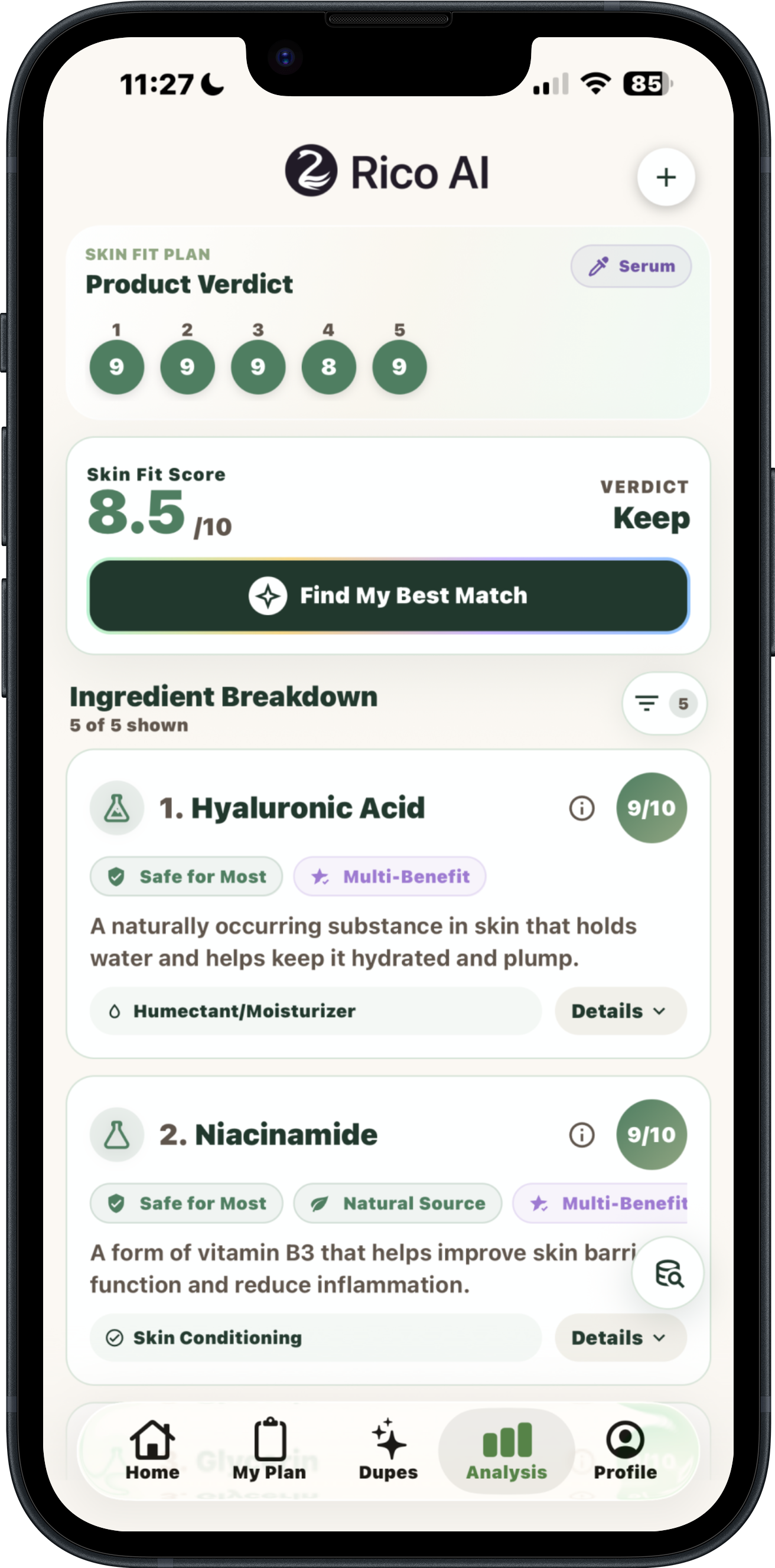
Free: Complete your first signed-in product check during onboarding and see Rico's plain-English Skin Fit result.
Sources and limits
These sources support the general guidance in this article. They cannot predict how one cosmetic will behave on your skin, and Rico does not diagnose or treat a skin condition.
- U.S. Food and Drug Administration: Cosmetic ingredient declarations. Confirms that cosmetics generally require an ingredient declaration, with limited trade-secret exceptions.
- U.S. Food and Drug Administration: Cosmetics labeling claims. Explains the difference between cosmetic claims and claims that make a product a drug; rechecked September 14, 2026.
A note from Zee, Rico AI founder
Skincare shopping gets loud fast. I built Rico to help you slow down, read the product in front of you, and choose one next step without turning every ingredient into a warning.
Quick answers
What should I check before buying a skincare product in store?
Check the full ingredient list, your skin concern, the product role, fragrance or active load, and whether the formula makes sense beside what you already use. The shelf label cannot know your routine.
What should I do before buying this product?
Open Rico in the aisle, scan the ingredient label, and decide whether to buy it, skip it, slow down, or compare a better-fit swap.
What if this product does not look like a good fit?
If the scan shows a weak fit, look for a product doing the same job with a calmer formula or lighter texture.
Built for a calmer product decision
Rico is your skin clarity coach for everyday skincare decisions: read or scan the label, understand the formula in plain language, and decide whether to buy, apply, compare, or skip. Rico gives educational Skin Fit guidance, not medical diagnosis or treatment.
Check one ingredient list free Get Rico for iPhone